Updates · 5 Oct 2026 · 1 min read
Forgot to check in?
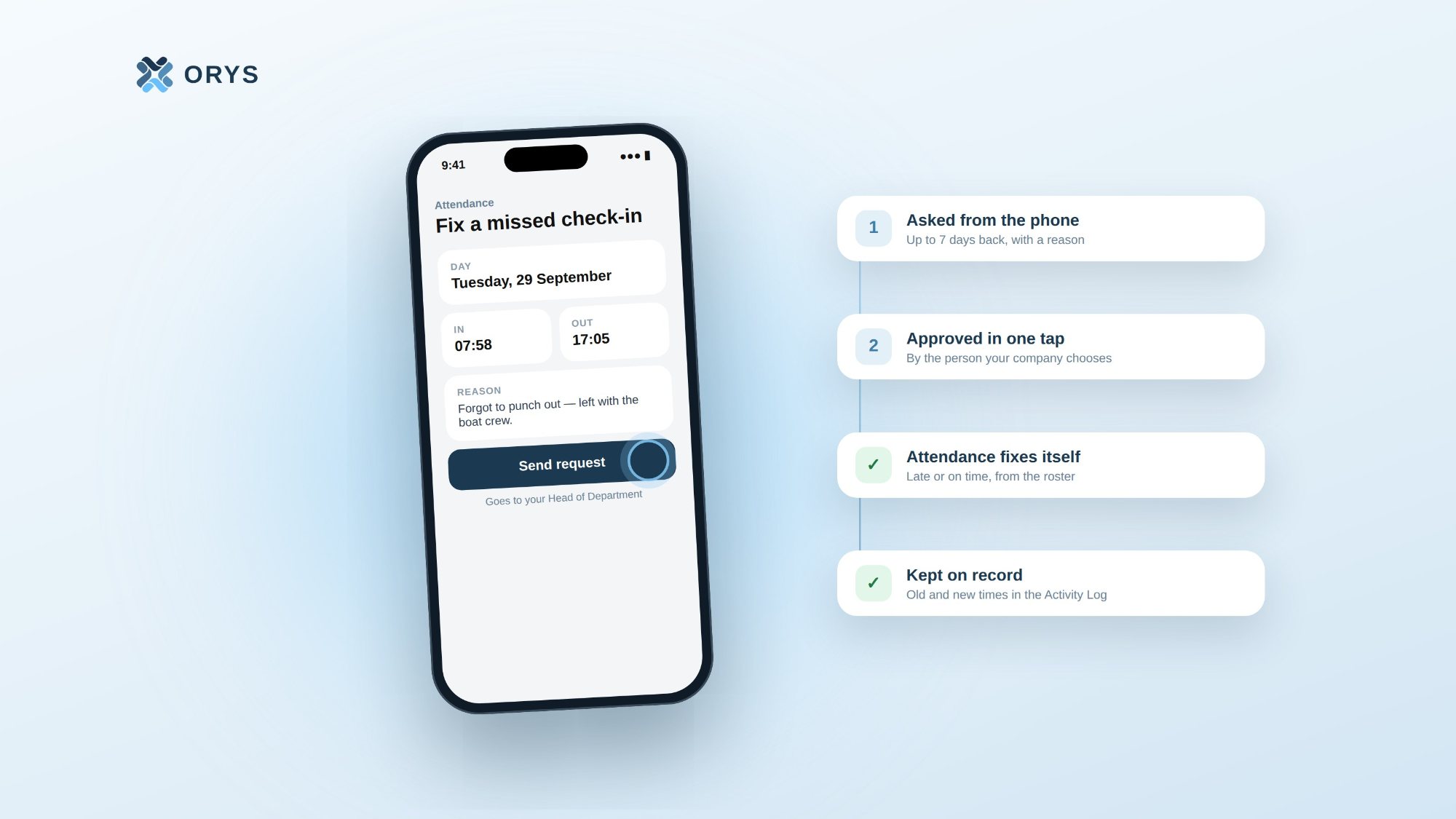
Staff fix a missed check-in from their phone. The right person approves it, and attendance updates itself.
It happens in every workplace. Someone checks in in the morning and forgets to check out. Or the fingerprint machine misses a punch. At the end of the month, it shows up as a problem, and HR has to sort it out by hand.
In ORYS, the staff member fixes it themselves.
Asked from the phone
In the staff app, under Attendance, they tap Fix a missed check-in, enter the times and write a short reason. They can do this for any day in the last 7 days. It can't be used on a leave day, or for a month whose payroll is already final.
Approved by the right person
The request goes to whoever the company chooses: the direct manager, the Head of Department, HR, or a chain of them. Each company sets this on its Company Policy page.
If nobody acts, the approver gets a reminder, and after a few days the request moves up to the next manager.
Attendance fixes itself
Once approved, the day is updated automatically. ORYS checks the duty roster and marks it as late or on time. The fixed day is saved as a manual entry, so the fingerprint machine can't overwrite it later.
The staff member gets a notification that it was approved — or a reason if it was declined.
Nothing disappears
Every fix is kept in the Activity Log, with the old time, the new time, who asked and who approved. If someone asks about it months later, the answer is there.
For HR, it means one less thing to fix by hand before payroll.
ORYS is built by Samuga Creative Pvt Ltd, Malé.